herdr 是什麼?和 cmux、Orca、Warp、tmux、Zellij 怎麼選
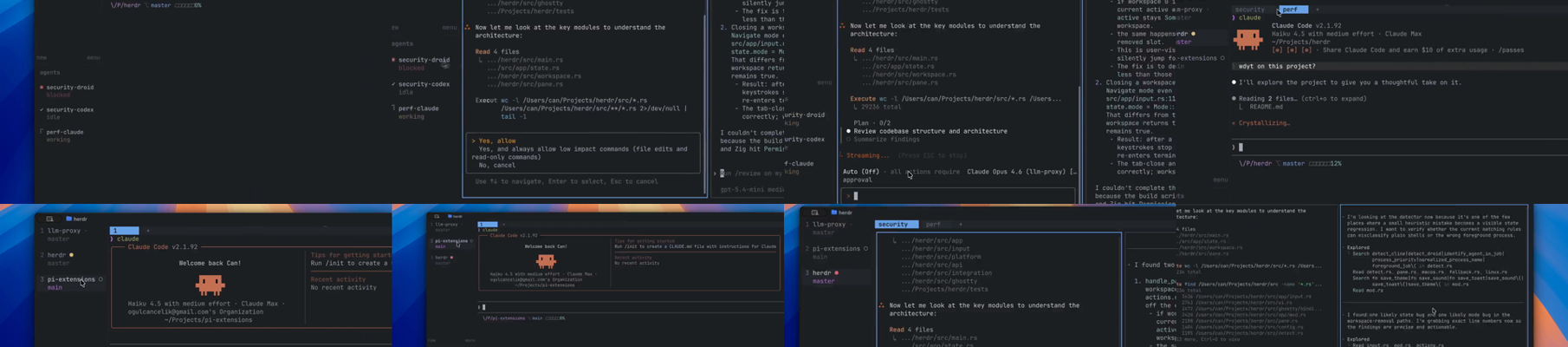
Herdr、cmux、Orca、Warp、tmux、Zellij 與多 agent 協作框架解決的是不同層級的問題。這篇拆開 terminal surface、agent runtime、worktree、session、pane、輸出讀取、輸入轉發、mailbox 與真正的 agent-to-agent communication。
作者
Seer
日期
2026-08-01
如果你同時開著 Claude Code、Codex、OpenCode、Gemini CLI 或其他 coding agent,真正讓人頭痛的通常不是「哪個終端機比較快」,而是這些問題:
- 哪一個 agent 還在工作?
- 哪一個 agent 卡在批准、問題或輸入?
- 能不能讀取另一個 agent 的 terminal output?
- 能不能把任務轉發給另一個 agent?
- 多個 agent 能不能共享同一個工作空間,又不互相搶焦點?
- 這些工具提供的是 pane 控制、訊息傳輸,還是真正的 agent-to-agent coordination?
herdr 想處理的是 agent workspace / runtime 這一層。這次會把純 terminal emulator 排除在主表之外,但另外加入 cmux:它雖然是 macOS terminal,卻提供 agent-oriented 的 notification、browser、CLI 與 socket control surface,值得和 Herdr 分層比較。
本文依據 2026-08-04 查核的 herdr master 分支 commit eacea2daf0b72973173b728936b27478374f2cd2、cmux main 分支官方 README / CLI contract / notification / browser API 文件,以及 tmux、Zellij、stablyai/orca、Warp、tmux-bridge-mcp、stoops、Claude Code 與 pi-subagents 的官方 repository / 文件整理而成。
先看工具各自位於哪一層
| 工具/機制 | 主要層級 |
|---|---|
| herdr | coding-agent workspace / runtime manager |
| cmux | agent-oriented macOS terminal / browser / control plane |
| tmux | terminal multiplexer / process transport |
| Zellij | terminal workspace / multiplexer / plugin runtime |
| tmux-bridge-mcp | MCP-to-tmux agent communication bridge |
| Orca | AI orchestrator / parallel worktree + structured coordination |
| Warp | agentic development environment + local/cloud orchestration |
| stoops | agent chat server + tmux bridge |
| Claude Agent Teams | agent orchestration + inter-agent messaging |
| pi-subagents | agent orchestration + visible mux backend adapter |
| OpenAI Agents SDK handoff | agent routing / semantic handoff |
這也是為什麼後面的比較不能只問「誰比較快」。真正要問的是:哪一層在管理 process?哪一層能讀取 pane?哪一層能傳送輸入?哪一層才真的有 agent identity、message passing 與協調協議?
Herdr 先說結論:它管理的是正在運作的 agent
Herdr 的核心不是單純開幾個 pane,而是把 workspace、tab、pane、process 與 coding agent 串成一個 runtime model:
workspace
  → tab
    → pane
      → terminal process
        → recognized coding agent
官方 README 將它描述為:
agent multiplexer that lives in your terminal
Herdr 會辨識 pane 裡的 coding agent,並以 working、blocked、done、idle、unknown 等狀態呈現。這和只看到「某個 pane 還有輸出」不同:Herdr 試著把終端機畫面轉成 agent lifecycle。
不過這些狀態也有邊界。官方 skill 明確說明,unknown 只代表 Herdr 無法有把握分類,不代表 agent 已經完成;done 也和「工作完成但使用者尚未查看」的狀態語意有關。CLI read 不一定等同於使用者在 UI 中看過該 tab。
Herdr 的基本工作流
安裝與啟動
官方 README 提供:
curl -fsSL https://herdr.dev/install.sh | sh也可以使用 Homebrew 或 mise:
brew install herdr
mise use -g herdr
在專案目錄啟動:
herdrHerdr 會建立或重新接回 workspace。pane 裡可以直接啟動原本的 coding agent:
claude
codex
opencode
detach 與 session persistence
按下:
Ctrl+B Q可以 detach。只要 Herdr server 和底層 process 還在,agent、shell、測試或 server 會繼續執行,之後再執行 herdr 即可重新 attach。
但要分清楚 detach 與 server restart:
- detach:原 process 持續存在;
- server restart:能恢復 workspace、layout、cwd 等結構,但原本 process 是否恢復要看 agent integration 和保存機制;
- screen history:保存的是終端機輸出,不能等同於恢復 agent 的對話狀態;
- native agent session restore:依賴特定 agent 自己提供的 session reference。
screen history 可能包含 secrets、tokens、prompts 和 command output,不能把它當成無風險的 log cache。
cmux:agent-oriented terminal surface,不是完整 orchestrator
cmux 是 macOS 原生、以 Ghostty / libghostty 為基礎的 terminal app。它提供垂直 workspace、水平與垂直 split、通知面板、內建 browser、SSH workspace,以及 CLI / socket API。
它和普通 terminal emulator 的差別,在於 cmux 把「agent 需要被看見、被通知、被腳本控制」這件事做成產品 surface:
- workspace sidebar 可以顯示 git branch、linked PR、工作目錄、listening ports 與最新通知;
cmux notify可以把 Claude Code、Codex、OpenCode 等 agent hook 的事件送進通知面板與 macOS notification;- CLI / socket API 可以建立 workspace、pane、surface,讀取 terminal screen、送文字或按鍵、串接事件;
- 內建 browser 有以
agent-browser為基礎的 scriptable API,能在 terminal 旁操作 dev server; cmux claude-teams、cmux codex-teams等 command 提供特定 coding agent 的整合入口。
這些能力讓 cmux 很適合當「多個 coding agent 的可見控制面板」,但要分清楚它和 Herdr 的差異:
cmux
  = workspace / pane / surface / browser / notification control
  = 提供 agent hooks 與 integration surface

Herdr
  = agent-aware runtime
  = 原生管理 agent identity、lifecycle、prompt、wait、read
cmux 的 socket API 知道 window、workspace、pane、surface 與 browser surface;這是很好的 terminal transport 和 observability primitive,但不等於它會替任意 CLI agent 建立統一的 agent identity、任務 ownership、ask/reply protocol 或 worker lifecycle。claude-teams 和 codex-teams 是特定產品整合,不能直接擴大成通用多 agent protocol。
session restore 也要和 tmux 分開看。cmux 可以保存 window / workspace / pane layout、cwd、scrollback,以及 browser URL / history;官方文件同時明確說它不會 checkpoint 任意 live process state。tmux、vim、shell 或未支援的 terminal app 重新開啟時,會是新的 terminal,而不是自動恢復原本正在跑的 process。
因此 cmux 比較適合:你在 macOS 上希望同時管理多個 Claude Code、Codex 或其他 CLI agent,並用通知、sidebar、browser 與 script API 降低切換成本;如果你要的是 agent lifecycle 或 worktree / mailbox orchestration,仍要搭配 Herdr、Orca、pi-subagents 或其他上層 runtime。
remote attach
Herdr 也提供 SSH remote 模式:
herdr --remote workbox
herdr --remote ssh://you@server:2222
這時本機 client 連到遠端 Herdr server,遠端 agent、build、test 或 server 留在遠端執行,本機只負責操作與顯示。
Herdr skill:讓 agent 自己操作 Herdr
只啟動 Herdr,你得到的是 workspace、pane、session 和 agent state 管理。若希望 pane 裡的 coding agent 自己操作 Herdr,還需要安裝官方 skill:
npx skills add herdrdev/herdr --skill herdr -g官方 skill 是 Markdown instruction file,不是另一個 agent、daemon 或 message server。它教 agent:
- 如何確認自己是否在 Herdr pane 中;
- 如何列出 workspace、tab、pane、agent;
- 如何從 JSON response 取得真實 ID;
- 何時使用 pane surface,何時使用 agent surface;
- 如何用
--current避免誤操作使用者當下 focus 的 pane; - 如何用
--no-focus在背景建立 sibling pane; - 如何讀 output、等待狀態和傳送輸入。
Skill 要求先確認:
test "${HERDR_ENV:-}" = 1如果 agent 不在 Herdr-managed pane 中,不應從外部猜測或控制某個 Herdr session。這是很重要的安全邊界。
Herdr 的 agent-to-agent coordination
一個典型流程可以是:
# 在目前 pane 旁建立 sibling pane
herdr pane split --current --direction right --cwd "$PWD" --no-focus

# 在回傳的 pane ID 啟動 reviewer
herdr agent start reviewer --kind codex --pane <returned-pane-id>

# 交辦工作並等待 settled state
herdr agent prompt reviewer \
  "Review the current diff and report actionable findings." \
  --wait --timeout 120000

# 讀取 reviewer 的輸出
herdr agent read reviewer --source recent-unwrapped --lines 120
也可以等待特定狀態:
herdr agent wait reviewer --until blocked --timeout 120000或對 agent 發送經過驗證的 logical key:
herdr agent send-keys reviewer esc
herdr agent send-keys reviewer ctrl+c
這裡的協作特性有四個重點:
- reviewer 有 agent name 和 runtime identity,不只是 pane 編號;
- 主 agent 能讀取 reviewer 的 output,也能等待 lifecycle state;
- reviewer 是真正存在的 sibling pane,使用者可以切過去看;
--no-focus讓背景協作不搶走使用者畫面。
所以 Herdr skill 的實際流程是:
agent A
  → Herdr agent / pane API
  → 建立或定位 agent B
  → prompt / wait / read
  → 回到 agent A
這不是標準化的跨廠牌 agent message protocol。它是建立在 Herdr runtime、CLI、socket API 與 agent skill 上的可見協作接口;但對 coding-agent workflow 來說,已經比單純的 terminal input injection 高一層。
先把「agent 溝通」拆成六個能力
「把幾個 agent 放在同一個 terminal」不等於它們能互相溝通。比較時至少要拆成:
| 能力 | 真正代表什麼 |
|---|---|
| 建立與管理 session / pane | 能不能啟動、分割、命名、關閉或重新接回工作空間 |
| 讀取輸出 | 能不能取得另一個 pane 的畫面、scrollback、log 或結構化事件 |
| 注入輸入 | 能不能把按鍵、文字或 command 寫進另一個 process |
| process / agent 狀態 | 能不能知道對方是 working、blocked、done、idle,或只是還活著 |
| 訊息傳輸 | 能不能透過 MCP、socket、pipe、room 或 bus 傳送有邊界的訊息 |
| 語意化協作 | agent 是否知道對方是誰、任務是什麼、何時回報,以及如何避免互相觸發無限迴圈 |
後三層不要混在一起:
capture-pane / subscribe
  = 我看得到你的輸出

send-keys / write-chars
  = 我可以把文字或按鍵寫給你

MCP / socket / chat room / plugin pipe
  = 我有一條訊息傳輸路徑

agent protocol / team runtime
  = 我知道你是誰、你的任務與回應如何被編排
tmux:最底層、最容易被外部工具加上 agent 能力
tmux 官方定位是 terminal multiplexer:建立、存取和控制多個 terminal,detach 後讓它們在背景繼續執行,再重新 attach。
它本身不認識 Claude、Codex、Gemini 或 reviewer。tmux 看到的是 session、window、pane 和 process。但它提供的控制原語很適合被外部 agent bridge 使用:
# 讀取 pane
 tmux capture-pane -p -t <target-pane>

# 把按鍵或文字寫入 pane
 tmux send-keys -t <target-pane> "review the current diff" C-m

# 把 pane 輸出接到 shell command
 tmux pipe-pane -t <target-pane> "cat >> /tmp/agent-output.log"
官方 man page 對這幾個介面的定義很直接:capture-pane 讀取 pane 內容,send-keys 將按鍵或字元送進 pane,pipe-pane 將 pane output 接到 shell command,或把 command output 寫回 pane。tmux 也提供 control mode,方便外部 client 持續控制與接收事件。
因此 tmux 的能力比較像 terminal process transport:
可建立 pane
可讀輸出
可注入按鍵
可 pipe 輸出
可由外部程式控制
沒有內建 agent identity
沒有內建 agent lifecycle
沒有內建語意訊息格式
tmux 能不能讓 agent 互相溝通?
tmux 單獨使用:可以組合出來,但不是原生 agent communication。
你可以讓 shell script:
capture-pane讀取 agent A 的輸出;- 將內容整理成 prompt;
send-keys寫入 agent B;- 再讀取 B 的輸出;
- 用檔案、pipe 或另一個 script 把結果傳回 A。
這是一條可行的 transport pipeline,但 tmux 不知道哪些文字是任務、哪些文字是回覆,也不會替你處理 agent identity、重試、訊息順序、權限或迴圈防護。
Zellij:有 workspace API、plugin pipe 與即時輸出訂閱
Zellij 仍然屬於 terminal workspace / multiplexer,但它比「只有 pane」多了一層 plugin runtime。官方 README 將它定位為給開發者與 ops 使用的 terminal workspace,並提供 layouts、plugins、web client 和 multiplayer sessions。
它能從 session 外部控制另一個 session:
zellij --session build-session action new-panezellij subscribe:即時讀取 pane
官方文件提供 subscribe,可以把一個或多個 pane 的 rendered output 即時串到 stdout:
zellij --session build-session subscribe \
  --pane-id terminal_1 \
  --format json
JSON 模式會輸出 pane_update 和 pane_closed 等 NDJSON 事件,也可以保留初始 scrollback。這讓外部 orchestrator 可以監控 pane,而不是每次只抓一次畫面。
zellij pipe:CLI 與 plugin 的訊息通道
Zellij pipe 是傳給 plugin 的單向通道,payload、name 和 args 都可以由使用者定義:
zellij pipe \
  --name agent-event \
  -- my-arbitrary-data
官方 plugin 文件描述了:
- CLI 可以把訊息送給指定 plugin 或所有監聽中的 plugin;
- plugin 可以回應 CLI pipe;
- plugin 可以對另一個 plugin 開 pipe;
- 可以用 pipe 建立 plugin 之間的雙向流程。
因此,Zellij 比 tmux 多了一條原生 plugin messaging layer。但這個 layer 的對象是 plugin,不是 coding agent。你仍然需要自行建立:
agent identity
任務格式
回覆格式
狀態機
錯誤重試
權限邊界
Zellij session resurrection 與 multiplayer
Zellij 會序列化 session layout,也能選擇保存 pane viewport 與 scrollback;它也支援多人 attach 到同一個 session,各自有 cursor。
這些能力很適合「一起看同一個 terminal workspace」,但:
多人看同一個 session ≠ agent 互相傳訊息
plugin pipe ≠ coding-agent protocol
pane subscribe ≠ agent 狀態理解
Zellij 能不能做到 Herdr 類似的事?
可以做到 Herdr 的一部分:
Zellij CLI / subscribe / pipe / plugin
  → 讀取 pane
  → 監控 pane 變化
  → 把資料傳給 plugin
  → 由外部 orchestrator 決定要不要寫回另一個 pane
但 Zellij 官方本身沒有 Herdr 那種 coding-agent identity、blocked / working / done lifecycle 或 agent prompt --wait 的完整抽象。它比較像一個比 tmux 更有 plugin API 的 workspace substrate。
tmux-bridge-mcp:把 tmux 原語直接變成 agent 的工具
如果你已經有 tmux,又想讓 Claude Code、Codex、Gemini CLI 等 agent 互相讀取和轉發,最直接的現成方案不是改用另一個 terminal,而是在 tmux 上加一層 MCP bridge。
tmux-bridge-mcp 的 README 將自己定位為:讓 AI agents 透過 tmux panes 互相溝通的 standalone MCP server。它提供的工具包括:
tmux_read:讀取另一個 pane;tmux_message/tmux_type:傳送文字;tmux_keys:傳送按鍵;tmux_name:替 pane 命名;- 讀取 build、test、server 等普通 process 的輸出。
它把流程做成:
MCP agent
  → tmux-bridge-mcp
  → tmux capture-pane / send-keys / list-panes
  → 另一個 agent 的 terminal pane
它還加入 read → act → read guard:先讀目標 pane,再允許輸入,輸入後再讀取確認。這比直接讓 agent 隨便對另一個 terminal 發按鍵安全,也比手動 copy / paste 更容易自動化。
它和 Herdr 的差異
| 問題 | tmux-bridge-mcp | Herdr + agent skill |
|---|---|---|
| 能不能讀另一個 pane? | 可以 | 可以 |
| 能不能傳送文字/按鍵? | 可以 | 可以 |
| 能不能啟動多個 CLI agent? | 透過 tmux / shell 組合 | Herdr 有 agent start surface |
| 有沒有 agent identity? | 主要靠 pane name / 自訂 convention | Herdr runtime 原生辨識 agent |
| 有沒有 lifecycle state? | bridge 本身不是 agent state machine | 有 working、blocked、done 等狀態 |
| 有沒有 message API? | MCP tool call 轉成跨 pane 操作 | Herdr CLI / socket / agent surface |
| agent 是否在可見 pane? | 是 | 是 |
| 是否需要 agent 支援 MCP? | 是,或使用其他 wrapper | skill 需要 agent 能照 instructions 呼叫 CLI |
所以它是目前「不用換掉 tmux,只想讓多個 CLI agent 互讀、轉發、監控」最直接的答案;但它不是 Herdr 的完整替代品,因為 agent lifecycle、身份和 workspace state 仍有一部分要由 bridge 或使用者維護。
Orca:真正的 AI Orchestrator,核心是 worktree + structured coordination
stablyai/orca 才是這次要比較的 Orca。官方 README 將它定位為 AI Orchestrator,主打讓 Codex、Claude Code、OpenCode、Pi 等 agent 平行執行,每個 agent 使用自己的 git worktree,再由 Orca 統一追蹤、比較與合併結果。
它的核心模型不是「把幾個 shell 放在一起」,而是:
Orca app / runtime
  → repo / worktree
    → agent terminal
      → orchestration Run
        → Task / Dispatch / worker lifecycle
README 直接列出幾個和 Herdr 重疊、但更偏 orchestration 的能力:
- Parallel Worktrees:一個 prompt 可以分給多個 agent,各自在隔離 worktree 實作,再比較結果;
- 支援任何能在 terminal 執行的 CLI agent;
orca worktree create --agent ... --prompt ...agent-first 啟動;- 讀取、等待、發送與停止 Orca terminal;
- worktree comments、workspace status、agent history;
- mobile companion,可從手機監看與 steer agent;
- SSH worktrees,可將 agent 放到遠端主機執行;
orcaCLI 可用 JSON 做 agent-driven automation。
Orca 的 structured inter-agent coordination
Orca 還有一個獨立的 orchestration layer。官方 orchestration skill 把它定義為 agent messages、task ownership、dispatch state 與 worker completion tracking 的 coordination layer。
它提供:
- persistent
send/reply/ask訊息; Run作為 coordinator namespace 與 inbox;Task作為工作項目;Dispatch將一個 Task 指派給指定 worker;- task DAG 與 dependencies;
worker_done、heartbeat、escalationlifecycle;- blocking ask/reply;
- decision gates;
worker-start、worker-read、worker-show;- 跨 connected Orca server 的 dispatch relay。
例如一個 supervised coordination 流程:
orca orchestration run-create \
  --objective "Review and validate the current change" --json

orca orchestration task-create \
  --spec "Review the diff and report actionable findings" --json

orca orchestration worker-start \
  --task <task_id> --worktree current --agent codex --json

orca orchestration check \
  --wait --types worker_done,escalation,question \
  --timeout-ms 900000 --json
agent 之間可以透過 Orca mailbox 交換訊息:
orca orchestration send \
  --to dispatch:<dispatch_id> \
  --subject "Follow-up" \
  --body "Please include the failing test command" --json

orca orchestration ask \
  --question "Should I include the generated snapshot?" \
  --options "yes,no" --json

orca orchestration reply \
  --id <message_id> \
  --body "yes" --json
worker 完成時回報結構化 lifecycle message:
orca orchestration send \
  --type worker_done \
  --task-id <task_id> \
  --dispatch-id <dispatch_id> \
  --outcome succeeded \
  --subject "Review complete" \
  --body "Findings are in the report" --json
這已經是完整的 agent coordination,而不只是:
capture pane → copy output → send prompt → hope the other agent understandsOrca 和 Herdr 的真正差異
| 問題 | Orca | Herdr + agent skill |
|---|---|---|
| 核心單位 | repo / worktree / Run / Task / Dispatch | workspace / tab / pane / agent |
| 平行隔離 | 每個 agent 可有獨立 worktree | 可在 sibling pane 共用或分配 workspace |
| agent 啟動 | worktree create --agent、worker-start | Herdr agent start / pane split |
| agent 輸出 | worker transcript、worker-read、terminal read | pane / agent read |
| agent 訊息 | persistent mailbox、ask/reply、typed lifecycle | prompt、CLI/socket surface、agent read/wait |
| 任務模型 | Run、Task、Dispatch、DAG、decision gate | agent lifecycle 與 workspace state |
| 完成回報 | worker_done / escalation | done / blocked / working state |
| 可見性 | worktree 與 agent session 可見,偏 orchestration tree | sibling pane 與 terminal workspace 可見 |
| 遠端 | connected Orca server / SSH worktree | Herdr remote thin client / SSH |
| 主要取捨 | coordination 語意較完整,但 worktree / Run 模型較重 | pane runtime 直覺,適合 terminal-first workflow |
因此,Orca 不是前面誤列的「Git client + terminal」,而是目前這組候選裡,和 Herdr 最直接、也最值得並列的 agent orchestrator。
Orca 的邊界
Orca orchestration 不是所有「把工作交給另一個 agent」都會自動啟用。官方 skill 將 full handoff 和 supervised orchestration 分開:
- full handoff:轉移 ownership,原 agent 不監控完成狀態;使用
worktree create或terminal send; - supervised orchestration:需要 supervision、monitor、wait、DAG、decision gate 或 ask/reply;才建立 Run、Task、Dispatch。
另外,orchestration 是 experimental feature,需要在 Orca Settings > Experimental 啟用。orca orchestration 指令也是對正在運行的 Orca runtime 發 RPC,不是離線 shell-only coordinator。
目前查到的官方命令是 orca worktree、orca terminal、orca orchestration,沒有確認一個正式命令叫 orca wrap。如果你原本說的是 orca wrap,應該改成 Orca 的實際 orchestration / worktree CLI。
Warp:本機 agent workspace、native orchestration 與 Oz cloud platform
Warp 現在已不是單純 terminal emulator。官方 README 把它定位成:
- modern terminal built for coding with agents;
- 可執行內建 agent Oz;
- 也可執行 Claude Code、Codex、Gemini CLI 等外部 CLI agent;
- Oz 是可平行啟動、可編程、可審計、可操控 cloud agents 的 orchestration platform。
所以 Warp 要分成三個層。
1. Warp local app:agentic development environment
Warp local app 提供 terminal、code editing、agent conversation、CLI agents 與 local TUI session。repo 的 source / specs 顯示,它有原生的 orchestration tree:
orchestrator conversation
  → child-agent conversation
    → retained TUI session
TUI orchestration bar 可以在 orchestrator 和 child conversations 之間切換,並保留各 session 的 transcript position、input draft、PTY state、blocking interaction 與 running agent state。child agent 也有穩定 identity 與狀態排序。
這部分和 Herdr 的「可見多 agent workspace」很接近,但 Warp 的 agent tree 是 Warp 自己的 native conversation / TUI 模型,不是通用 tmux pane。
2. Warp native agent messaging
Warp source 裡的 orchestration event model 不只是 UI tab。它有:
- parent / child agent run relationship;
source_agent_id、target_agent_id;MessagesReceivedFromAgentsevent;- SSE stream 傳遞 orchestration events;
- message hydration 與 delivery confirmation;
- agent message ID、sender identity、recipient identity;
- parent 收到 child lifecycle 與 message events。
因此 Warp 的 native orchestration 確實有 agent-to-agent message plumbing,不應再寫成「只有 terminal layout」。它和 Herdr 的差別是:
Warp
  = conversation tree + native child agents + server event stream

Herdr
  = workspace pane + runtime agent identity + CLI/socket control
Warp source 也顯示它的 TUI orchestration tab bar 主要負責在保留的 orchestrator / child TUI session 之間切換;它不是把每個 child 放成任意 shell 的通用 pane,也不是 tmux protocol。
3. warpctrl:local Warp control plane,不是 agent message bus
Warp repo 的 warpctrl 設計則是另一件事。它是控制已經運行中的本機 Warp app 的 typed、allowlisted CLI,涵蓋:
- instance discovery;
- window / tab / pane / session list、create、focus、split、resize、rename、close;
- theme、settings、surface、file open 等 UI actions;
- JSON / NDJSON 輸出;
- loopback transport、same-user credential broker、短期 action-scoped credentials。
官方 spec 特別列出它的 non-goals:
- 不取代 Oz CLI;
- 不做 code editing、file I/O、shell execution;
- 不提供 terminal command execution;
- 不提供 accepted-command submission;
- 不提供 agent-prompt submission;
input.insert/input.replace只把文字放進 input buffer,不會按 Enter 執行;- 不讀取 terminal output 作為一般 control action。
所以:
warpctrl
  = agent / script 控制 Warp app workspace 的 local control plane

Warp native orchestration
  = Warp agent conversation tree 的 child session / message / event system

Oz
  = cloud agent run / environment / schedule / API orchestration
不能把 warpctrl 單獨寫成 Herdr 的 agent-to-agent 替代品;真正的 agent messaging 是 Warp native orchestration / Oz agent layer,不是 local control CLI。
4. Oz cloud orchestration
Warp 的 Oz platform 提供:
agent run-cloud啟動 cloud agent;run list/run get監控 run;- environment 管理;
- schedule;
- REST API;
- TypeScript / Python SDK;
- GitHub Actions integration;
- cloud environments、secrets、artifact 與 third-party CLI agents。
典型流程:
warp agent run-cloud \
  --prompt "Update the login error to be more specific" \
  --environment <environment-id>

warp run get <run-id>
Oz 也支援在 cloud environment 裡執行 Claude Code、Codex、Gemini CLI、Amp、Copilot CLI、OpenCode 等第三方 coding CLI。
但 Oz 的公開 skill / API 文件主要描述的是「啟動、監控、排程與取得 cloud agent run」,不是像 Orca mailbox 或 Claude Agent Teams 那樣明確定義多個 agent 之間的直接 ask/reply message protocol。因此目前比較準確的說法是:
Warp / Oz 是 agent orchestration platform;它有 native child-agent messaging 與 conversation tree,但 Oz cloud API 的核心公開 surface 仍是 run、session、environment、event 與 schedule,不應直接宣稱它提供任意 agent-to-agent chat room。
stoops:把 terminal agent 放進真正的 chat room
stoops 是另一種封裝:它不是 pane manager,而是 AI agent chat server。Claude Code、Codex 和人類可以加入同一個 room,訊息透過 MCP tools 與 tmux bridge 送進 agent session。
官方 README 描述的流程是:
stoops server / room
  → agent join room
  → MCP send / search / mode
  → tmux bridge 將事件推進 agent session
它提供的機制包括:
join_room、send_message、catch_up、search_by_text;everyone、people、agents等 engagement mode;- standby / @mention 模式,避免 agent 互相觸發無限循環;
- host / member / guest 權限;
- 透過 share link 與 Cloudflare tunnel 跨機器加入 room。
這和 Herdr 的差異很明顯:
Herdr
  = agent 在真實 workspace sibling pane 中協作

stoops
  = agent 透過 chat room / message server 交換訊息
stoops 更接近訊息協作層,Herdr 更接近可觀測的 terminal runtime。如果你需要不同機器上的 agent 進同一個 room,stoops 比 pane-based workspace 更直接;如果你需要親眼看到每個 agent 在哪個 pane、正在執行什麼 command,Herdr 更符合這個工作方式。
原生 Agent Orchestration:不一定需要 terminal pane
如果真正需求是「讓 agent 分工、互相回報、管理任務」,也有完全不依賴 tmux、Zellij 或 Herdr 的方案。
Claude Code Agent Teams
Anthropic 官方文件目前把 Claude Code 的兩種模式分開:
- subagents:子 agent 通常把結果回報給主 session;
- agent teams:多個 Claude Code session,有 shared task list,teammates 可以直接互傳訊息並自行協調。
Agent Teams 目前是 experimental,預設關閉,需要設定:
CLAUDE_CODE_EXPERIMENTAL_AGENT_TEAMS=1它是目前最接近「原生語意化 agent-to-agent communication」的方案之一:訊息對象是 teammate,不是 pane;任務對象是 task list,不是單純輸入文字;協調由 team runtime 處理。
但它和 Herdr 的差別是:
- 不以通用 terminal workspace 為核心;
- 不等於任何 CLI agent 都能加入同一個 team;
- agent 的可見性與 session 佈局由 Claude Code team runtime 決定;
- 官方仍列有 session resume、task coordination、shutdown 等限制。
pi-subagents
pi-subagents 是 Pi agent harness 的第三方 multi-agent framework。它把協作分成兩條軸:
interactive / background
sync / async
它支援:
- named agents;
- interactive child panes;
- background workers;
- child-to-parent communication;
- orchestrator mode;
- forked context;
- Herdr、cmux、tmux、Zellij、WezTerm 等 backend。
這種架構把 agent orchestration 和 terminal backend 拆開:
pi-subagents
  → 負責誰分工、如何等待、如何回傳結果

Herdr / tmux / Zellij / WezTerm
  → 負責 interactive child 要放在哪個可見 surface
因此它可以在 Zellij 或 tmux 裡達到部分 Herdr skill 的使用體驗,但那是 pi-subagents 提供的 orchestration layer,不是 Zellij 或 tmux 原生理解 agent。
OpenAI Agents SDK handoffs
OpenAI Agents SDK 的 handoff 是另一種層級:一個 agent 把對話或工作路由給另一個 agent。這是語意層的 agent delegation,不是 terminal pane control。
它適合:
- triage agent 將問題交給 specialist;
- planner 將工作交給 implementation agent;
- support agent 將對話交給另一個專業 agent。
它不直接提供:
- 讀取另一個 CLI pane;
- 對另一個 terminal process 發送按鍵;
- 讓使用者看到 sibling pane;
- 管理 tmux / Zellij session。
所以 handoff 和 Herdr 不應放在同一個「哪個 terminal multiplexer 比較好」表格裡;前者是 agent routing,後者是 agent-aware runtime。
MCP 到底算不算 agent-to-agent communication?
MCP 本身不是 agent-to-agent protocol。官方 MCP 架構定義的是 client / server 之間的 JSON-RPC protocol,以及 tools、resources、prompts 等 primitives。
MCP 可以成為協作的 transport,例如:
Agent A
  → 呼叫 tmux-bridge MCP tool
  → 讀取或寫入 Agent B 的 pane
也可以:
Agent A
  → 呼叫 stoops MCP tool
  → 將訊息送到 room
  → Agent B 的 wrapper 收到事件
但「有 MCP」只代表 agent 可以呼叫某個工具,不代表:
- MCP server 知道另一個 agent 的身份;
- 兩個 agent 共享任務狀態;
- 訊息一定會送達;
- 有回覆、重試、順序或 loop prevention;
- 工具本身提供可見 workspace。
因此正確寫法是:MCP 是可插拔的工具傳輸層;agent coordination 需要另外一個 bridge、room、runtime 或 orchestration protocol。
能力比較矩陣
| 工具/機制 | 管 session / pane | 讀取輸出 | 注入輸入 | 有訊息傳輸 | 有 agent identity / state | agent 直接互傳 | 使用者可看見多 agent | 主要層級 |
|---|---|---|---|---|---|---|---|---|
| Herdr + skill | ✓ | ✓ | ✓ | ✓ | ✓(Herdr runtime) | ✓(Herdr runtime) | ✓ | agent runtime |
| cmux | ✓ workspace / pane / surface | ✓ read-screen | ✓ send / send-key | notifications / events / socket | workspace / surface metadata;非通用 agent lifecycle | ✗(特定 Teams integration 例外) | ✓ | agent-oriented terminal + control plane |
| tmux | ✓ | ✓ | ✓ | pipe / control mode | ✗ | ✗(需自行組合) | ✓ | multiplexer |
| Zellij | ✓ | ✓ subscribe | ✓ CLI / plugin | plugin pipes | ✗ | ✗(需自建) | ✓ | workspace + plugin |
| tmux-bridge-mcp | 依賴 tmux | ✓ | ✓ | MCP tools | 以 pane naming 為主 | ✓(跨 pane) | ✓ | transport bridge |
| Orca | ✓ worktree / terminal | ✓ worker-read / terminal read | ✓ terminal send / dispatch | ✓ mailbox / ask-reply | ✓ Run / Task / Dispatch | ✓ structured messaging | ✓ orchestration tree | AI orchestrator |
| Warp | ✓ native TUI sessions | ✓ retained conversations / events | ✓ native agent input | ✓ native orchestration events | ✓ parent / child identity | ✓ native child-agent messaging | ✓ local TUI tree | agentic environment + cloud |
| stoops | 透過 tmux wrapper | room / agent session | tmux bridge | ✓ chat room | room participant / mode | ✓ | agent session 可見 | message server |
| Claude Agent Teams | session runtime | 結果 / teammate context | team messages | ✓ native team messaging | ✓ teammate / task list | ✓ | 非通用 pane UI | orchestration |
| pi-subagents | 依賴 mux backend | child result / pane surface | backend adapter | child-parent messaging | named child agent | ✓ | interactive child 可見 | orchestration |
| OpenAI Agents SDK handoff | ✗ | ✗ | ✗ | conversation handoff | ✓ agent route | ✓ 語意 handoff | ✗ | agent routing |
這張表最重要的不是打勾數,而是「勾選的來源」:
- tmux 的輸入與輸出來自 terminal primitives;
- Zellij 的訊息來自 plugin pipe,不是 agent protocol;
- tmux-bridge-mcp 的 agent communication 是第三方 MCP layer;
- Orca 的 coordination 來自 Run / Task / Dispatch / mailbox / lifecycle contract;
- Warp 同時有 native child-agent conversation tree、message events,以及另外一條
warpctrllocal control plane; - stoops 的 communication 是 room server + wrapper;
- Claude Agent Teams 與 pi-subagents 在 orchestration layer 定義 agent 關係;
- Herdr 把 agent identity、pane、狀態和 runtime API 放在同一個 workspace abstraction 裡。
到底誰最接近 Herdr?
想保留現有 CLI agent,只增加互讀與轉發
選:
tmux + tmux-bridge-mcp這是改動最小的方案。你保留原本的 Claude Code、Codex、Gemini CLI 和 tmux pane,再讓 MCP-compatible agent 取得 read / message / type / keys 工具。
代價是:agent identity、狀態機、命名規則、任務順序和 loop prevention 有一部分要靠 bridge 或你自己維護。
想要可見的多 agent sibling pane 與 agent 狀態
選:
Herdr + agent skill這是本文比較的核心結論。Herdr 不是唯一能做到「多個 agent 放在 terminal 裡」,但它把 agent 當成 runtime object,提供 identity、lifecycle、prompt、wait、read 和 pane control 的同一套 surface。
想要 worktree 隔離、任務 DAG 與真正的 mailbox
選:
OrcaOrca 是這組候選裡最接近「完整 agent coordinator」的方案:Run、Task、Dispatch、persistent mailbox、ask/reply、worker_done、decision gate 和遠端 worker relay 都有明確模型。
它比 Herdr 更偏「任務協調器」,代價是要接受 worktree、Run 與 Dispatch 的狀態模型;如果只是想在同一個專案旁邊開 reviewer pane,Orca 會比需求更重。
想要 Warp 原生的 agent conversation tree
選:
Warp native orchestrationWarp 適合已經使用 Warp terminal,且希望 orchestrator 與 child agents 都保留原生 conversation、TUI session、agent identity、message event 與 session switching 的工作流。
如果需要的是控制 Warp 自己的 window / tab / pane / session,才看 warpctrl;它是 local control plane,不是通用的 agent messaging API。如果需要遠端平行執行與排程,則看 Oz cloud platform。
想在 Zellij 裡自行打造協作系統
選:
Zellij + subscribe + plugin pipe + 自建 orchestratorZellij 的 plugin / pipe / subscribe 能力足以做出觀測與訊息管道,甚至能在 plugin 之間傳送雙向訊息。但你要自行補上 agent registry、prompt contract、結果格式、失敗處理和安全規則。
想要真正的訊息 room,而不是只讀 terminal
選:
stoops它把 agent 溝通放到 room、MCP tool 和 message server,適合跨機器與人類一起加入。它不會取代 Herdr 的 pane runtime,而是解決不同的 communication problem。
想要 agent 自己分工,不在乎它是不是 terminal pane
選:
Claude Agent Teams
或
pi-subagents
Claude Agent Teams 是產品內建的 experimental team runtime;pi-subagents 則把 named child、sync / async、child-parent messaging 與多種 terminal backend 結合起來。這兩者比 tmux / Zellij 更接近 agent orchestration,但可見性、支援的 agent 類型與穩定性要另外評估。
使用場景對照:哪種情況適合用哪個?
前面的能力矩陣回答「工具能做什麼」,這一節直接回答「遇到什麼情況該選誰」。實際選型可以先看你的協作中心是什麼:
pane / terminal 可見性 → Herdr
macOS terminal + agent notifications / browser → cmux
worktree / 任務協調 → Orca
Warp 原生 agent conversation → Warp
cloud run / schedule → Oz
process transport → tmux
plugin workspace → Zellij
message room → stoops
Claude 原生 team → Agent Teams
Pi child-agent framework → pi-subagents
語意路由 → OpenAI handoffs
場景選型總表
| 使用場景 | 優先選擇 | 為什麼 | 主要代價/限制 |
|---|---|---|---|
| 我想在同一個 repo 同時讓 3–5 個 agent 做不同實作,再比較哪個最好 | Orca | Parallel Worktrees 可隔離每個 agent,Run / Task / Dispatch 可追蹤工作與結果 | worktree、Run、Dispatch 模型較重;要接受 Orca 的 orchestration state |
| 我想把 reviewer、tester、implementer 放在使用者看得到的 sibling panes | Herdr | pane、agent identity、狀態、prompt、wait、read 在同一個 runtime | 協作語意主要依賴 Herdr runtime / skill,不是跨產品標準協議 |
| 我在 macOS 上同時跑多個 coding agent,想從 sidebar、通知、browser 與 CLI 控制它們 | cmux | workspace / pane / surface、notification hooks、內建 browser、CLI / socket API 都在同一個 app | 它是 control plane,不是通用 agent orchestrator;live process restore 也不等同 tmux |
| 我已經使用 Warp,想要 orchestrator 和 child agents 都留在 Warp 原生 UI | Warp native orchestration | 原生 conversation tree、TUI session、child identity、message events | 主要綁定 Warp 自己的 agent / TUI 模型,不是通用 tmux pane |
| 我想從本機或 CI 啟動遠端 agent,並監控 run、environment、schedule | Warp Oz | cloud agents、environment、REST API、SDK、schedule、GitHub Actions | cloud service / API surface 和 local Warp app 分開;不是任意 agent chat room |
| 我只想讓現有 tmux 裡的 Claude Code、Codex、Gemini CLI 互讀和互傳文字 | tmux + tmux-bridge-mcp | 不必更換工作空間,直接把 capture-pane / send-keys 變成 MCP tools | agent identity、任務順序、重試、loop prevention 要自行維護 |
| 我要長時間跑 build、test、server,斷線後仍能回來 attach | tmux | 成熟、低層、穩定保存 session / process | 不知道 agent 是 working、blocked 還是 done |
| 我要自己做一個 event monitor、pane dashboard 或 plugin-based orchestrator | Zellij | subscribe、plugin pipe、CLI control、session workspace 都可組合 | plugin pipe 不等於 agent protocol;registry、狀態機與安全規則要自建 |
| 我要人類、Claude Code、Codex 或其他 agent 在同一個跨機器聊天室協作 | stoops | room、message、catch-up、search、standby / @mention mode | message room 不等於可見 pane runtime;要評估 tunnel、權限與分享風險 |
| 我只使用 Claude Code,想讓多個 Claude session 共用 task list 並互傳訊息 | Claude Agent Teams | 原生 teammate messaging、shared task list、team runtime | experimental;agent 類型受限於 Claude Code,UI 不等於通用 workspace |
| 我使用 Pi,想同時支援 interactive child、background worker、sync / async | pi-subagents | child-parent communication,且可接 Herdr、tmux、Zellij、WezTerm 等 backend | orchestration contract 屬於 Pi framework,不是 mux 原生能力 |
| 我不需要 terminal,只想把對話從 triage agent 路由給 specialist | OpenAI Agents SDK handoffs | 語意層 delegation 直接,適合客服、分類、planner / specialist | 不控制 pane、process、CLI agent 或 terminal output |
| 我想要低層 transport 加高層語意協作 | 組合:Herdr / tmux / Zellij + Orca / Teams / pi-subagents | 把可見性、process persistence 與任務協調拆開,各用適合的層 | 多一層整合成本;要處理 identity mapping、訊息重複與權限 |
如果你是 coding agent 開發者
優先順序通常是:
需要 worktree 平行實驗
  → Orca

需要看見多個實際 CLI agent
  → Herdr

需要把自己的 agent 接進 Warp 原生產品體驗
  → Warp native orchestration / Oz

需要跨 backend 的 child-agent framework
  → pi-subagents
這種情況不要先從 terminal emulator 開始選。先決定你的 agent 是否需要:
- 獨立 worktree;
- persistent task identity;
- ask / reply;
- worker completion event;
- 人類可見的 interactive surface;
- 遠端與 cloud environment。
如果你是單人開發者
如果只是自己同時開幾個 coding agent,最實用的選法是:
| 你的習慣 | 建議 |
|---|---|
| 喜歡看每個 agent 的真實 terminal | Herdr |
| 使用 macOS,想要通知、sidebar、browser 與 scriptable terminal surface | cmux |
| 喜歡一次跑多個方案,再挑一個合併 | Orca |
| 已經把 Warp 當主要 terminal | Warp |
| 已經有成熟 tmux workflow,不想搬家 | tmux + tmux-bridge-mcp |
| 只需要 process 常駐與斷線重連 | tmux |
| 需要長期維護自己的 workspace plugin | Zellij |
不要為了「多 agent」就直接上完整 orchestration。若你只是想同時開兩個 pane,Orca、Agent Teams 或自建 message bus 都可能過重;Herdr 或原本的 tmux 已經足夠。
如果你要做 code review / QA pipeline
這類工作通常適合 Orca 或 Herdr,差別在結果管理方式:
Orca 方案
  → 建立 Run
  → 建立 reviewer / tester Tasks
  → Dispatch 到獨立 worktrees
  → worker_done / escalation 回報
  → coordinator 比較結果並決定是否合併
Herdr 方案
→ 建立 reviewer sibling pane
→ prompt reviewer 讀取目前 diff
→ wait 到 blocked / done
→ read reviewer output
→ 建立 tester pane
→ coordinator 根據 pane / agent state 決定下一步需要平行版本比較與可重現結果,選 Orca;需要即時看見 agent 正在做什麼,選 Herdr。
如果你要跑遠端或夜間批次
優先看 Warp Oz 或 Orca remote / SSH worktree:
| 需求 | 建議 |
|---|---|
| 遠端啟動一次 agent,之後查 run 狀態 | Warp Oz |
| 需要 environment、secret、schedule、API、CI 整合 | Warp Oz |
| 遠端 repo 上分派多個 worktree worker | Orca remote / SSH worktree |
| 只是保留一個遠端 shell、build 或 server | tmux + SSH |
| 本機控制遠端 Herdr workspace | Herdr remote thin client |
這裡要分清楚「遠端終端」和「cloud agent run」:SSH + tmux 是把 process 留在遠端;Oz 是把 agent run、environment、artifact 與 schedule 納入 cloud control plane。
如果你需要人類和 agent 一起協作
依互動形式選:
要看 terminal、直接切 pane
  → Herdr / Warp local app

要在 room 裡討論、搜尋歷史、讓人類與多個 agent 都加入
  → stoops

要由 team runtime 管理 teammate、task list 和 agent message
  → Claude Agent Teams
room 與 pane 是兩種不同的協作介面。room 適合文字、歷史與跨機器參與;pane 適合即時觀察 process、輸出與 interactive approval。
最常見的組合,而不是單一工具
實務上最完整的組合通常不是「只選一個」:
Herdr
  → 提供可見 sibling panes 與 agent state

Orca
  → 提供 worktree、Run、Task、Dispatch 與 mailbox

tmux / Zellij
  → 在底層保存 process 或提供 plugin / event transport

stoops
  → 把需要跨機器、人類參與的訊息送進 room

共享 git worktree / artifact / report
  → 保存真正的結果,避免依賴 terminal scrollback
但組合前要先定義唯一的 source of truth:
- agent identity 由誰管理?
- task ownership 由誰管理?
- completion event 由誰發出?
- pane 名稱和 agent ID 如何對應?
- room message 和 worktree artifact 哪個是正式結果?
- 同一個事件經過多層 bridge 時,如何去重?
如果這些規則沒有先定義,工具越多,協作越容易變成多套狀態互相矛盾。
一個實際的分層工作流
如果要同時兼顧可見性、低層控制和語意協作,可以這樣組:
flowchart TB
  U["上層 orchestration: 角色、任務、等待、重試"] --> M["中層 bridge / mailbox / event routing"]
  M --> O["外層 workspace runtime: session、pane、worktree"]
  O --> P["Terminal processes / coding agents"]
  P --> A["共享 Git、files、artifacts、room history"]
  A -->|可重讀結果與 handoff| U
一個 code review pipeline 可以是:
主 agent
  → 建立 reviewer pane
  → reviewer 讀取 diff
  → reviewer 回報 findings
  → 主 agent 讀取結果
  → tester agent 執行測試
  → 主 agent 根據測試與 review 決定是否修改
如果是 Herdr,reviewer 的啟動、狀態與輸出可以直接由 Herdr agent surface 管理;如果是 Orca,reviewer 會成為 Run 裡的 Task / Dispatch,結果透過 mailbox 與 worker_done 回報;如果是 Warp,則由 native orchestrator / child conversation tree 管理。若是 tmux,則需要 tmux-bridge-mcp、檔案或自訂 script;如果是 Claude Agent Teams,任務與訊息由 team runtime 管理,但不一定以使用者看得見的 sibling pane 呈現。
不要把這些東西混成「可以互相溝通」
| 說法 | 實際含義 | 還缺什麼 |
|---|---|---|
| 多個 pane | 多個 process 有自己的畫面 | agent identity、訊息協議 |
| attach 同一 session | 多個 client 看同一 workspace | 任務分工與訊息路由 |
| capture / subscribe | 可以讀取輸出 | 如何判斷輸出是結果還是中間狀態 |
| send-keys / write-chars | 可以注入文字或按鍵 | 權限、送達、重試、去重 |
| 共享工作目錄 | agent 可以看到相同檔案 | 競爭寫入、版本、衝突處理 |
| plugin pipe | plugin 之間能傳 payload | agent contract 與 lifecycle |
| MCP server | agent 可以呼叫工具 | tool 是否真的連到另一個 agent |
| agent-to-agent protocol | 有身份、訊息、狀態與回覆邊界 | 仍需檢查是否可見、可恢復、可跨機器 |
最容易犯的錯,是看到 tmux send-keys、Zellij subscribe 或共享檔案,就直接說「agent 可以協作」。更準確的寫法是:
它提供了協作所需的 transport primitive,
但是否成為 agent collaboration,取決於上層是否補上身份、任務、訊息與狀態規則。
授權與成熟度也要分開看
- Herdr:Apache-2.0;agent-aware runtime,官方 skill 與 socket API 是核心整合面。
- cmux:官方 LICENSE 以 GPL-3.0-or-later 為主,另有第三方檔案與授權聲明;macOS 原生 terminal / browser / control plane,特定 agent integrations 不能等同通用 orchestration。
- tmux:官方 repo 為 ISC / 個別檔案依其聲明;成熟的 terminal multiplexer。
- Zellij:MIT;workspace、plugin、pipe、subscribe 和 session resurrection 能力完整,但不是 coding-agent runtime。
- Orca:MIT;desktop / mobile / CLI / orchestration repo,核心協作層是 Run、Task、Dispatch、mailbox 與 worker lifecycle;orchestration feature 目前需要 Experimental 開關。
- Warp:repo metadata 為 AGPL-3.0,但 README 說明 server portion 目前保持 closed-source;Warp local app、native orchestration、
warpctrl與 Oz cloud service 的開源範圍要分開看。 - tmux-bridge-mcp:第三方 MCP bridge,授權與實際維護狀態應以 repo 當下內容核對;不能算 tmux 官方功能。
- stoops:MIT;room server + tmux bridge,適合訊息協作,仍需評估網路分享與權限風險。
- Claude Agent Teams:官方功能但目前 experimental,需明確啟用並接受官方列出的限制。
- pi-subagents:MIT;第三方 Pi multi-agent framework,支援多種 mux backend,但 agent contract 主要由它自己的 harness 定義。
開源授權只代表專案本體的授權,不代表其中執行的 coding agent、模型供應商、MCP server、plugin、room deployment 或工作區程式碼自動適用相同條款。
結論:比較的不是 terminal,而是協作封裝層
重新分類後,這些工具不是同一張「誰取代誰」的清單:
terminal emulator
  → 負責畫面、輸入與視窗;cmux 額外提供 agent-oriented control surface

terminal multiplexer
  → 負責 session、pane、process persistence

workspace / plugin runtime
  → 提供更高階的 pane 控制、plugin 與事件管道

agent bridge
  → 把 terminal 原語變成 agent 可呼叫的工具

message room / local bus
  → 提供有邊界的訊息、路由與參與者狀態

agent orchestration
  → 管理角色、任務、handoff、等待與結果

agent-aware runtime
  → 把 agent identity、lifecycle、workspace 與控制 API 放在一起
因此:
- Herdr 適合要看見真實 sibling pane、讀取 agent output、等待 agent state,並讓 agent 直接控制其他 agent 的工作流;
- cmux 適合 macOS 上的多 agent terminal 操作:通知、sidebar、browser、workspace / surface、CLI / socket control 都很完整,但它本身不是通用 agent identity、task 或 mailbox runtime;
- Orca 適合 worktree 隔離、平行 agent、Run / Task / Dispatch、persistent mailbox、ask/reply、DAG 與 worker lifecycle;
- Warp 適合要把 terminal、native agent conversation、child-agent tree 與 Oz cloud orchestration 放在同一個產品內;
warpctrl則專門控制 Warp app workspace,不等同 agent message bus; - tmux 適合穩定保存 process,並作為其他 bridge 或 orchestrator 的底層 transport;
- Zellij 適合需要 plugin、pipe、subscribe、web client 與可擴充 workspace 的人,但 agent 協作要自己加上去;
- tmux-bridge-mcp 適合不想換掉 tmux,只想讓既有 CLI agent 互相讀取和轉發;
- stoops 適合把 agent 放進可跨機器的 chat room,讓訊息而不是 pane 成為協作中心;
- Claude Agent Teams / pi-subagents 適合要原生或框架層級的任務分工、訊息傳遞與 child-parent coordination;
- OpenAI Agents SDK handoff 適合語意路由,不是 terminal workspace 控制。
最實用的判斷方式不是問「哪個最好」,而是先問:
我要的是保存 terminal process?
我要的是讀取另一個 pane?
我要的是傳送輸入?
我要的是有名字、有狀態的 agent?
我要的是 message room?
我要的是 agent 自己分工和回報?
如果答案是最後三項,單用 tmux 或 Zellij 不夠;如果答案只是前兩項,直接上 Herdr 或自建 agent framework 反而可能過重。
官方與實作來源
Herdr
- Herdr repository(查核 commit eacea2d)
- Herdr quick start
- Herdr concepts
- Herdr supported agents
- Herdr session state
- Herdr persistence and remote access
- Herdr socket API
- Herdr agent skill
- Herdr agent automation
Terminal workspace / multiplexer
- cmux repository
- cmux CLI contract
- cmux notifications
- cmux browser automation API
- tmux repository
- tmux man page
- Zellij repository
- Zellij CLI control
- Zellij subscribe
- Zellij plugin pipes
- Zellij session resurrection
Agent bridge / message layer
- tmux-bridge-mcp
- Orca
- Orca orchestration skill
- Orca CLI skill
- Warp
- Warp Oz platform skill
- Warp native orchestration event streamer
- Warp local control CLI spec
- stoops
Agent orchestration / protocols
- Claude Code subagents
- Claude Code agent teams
- pi-subagents
- OpenAI Agents SDK handoffs
- Model Context Protocol architecture
本文依據 2026-08-04 查核的官方 repository、官方文件與候選專案 source 整理。第三方工具的功能、版本、成熟度與安全邊界會持續變動;尤其是 cmux 的 CLI / socket / browser API、Orca orchestration、Warp native orchestration、Warp
warpctrl與 Oz cloud API,應在安裝或整合前重新查看當前 release、feature flag、文件與服務條款。
Signals
Visits
--
Waiting for Cloudflare metrics.